New to music
Likwid Layers New
Tap the water and every note fits the scale, so there are no wrong notes. Hit “Surprise me” to get a beat going.
Want lightning instead? Storm Glass is in key everywhere you touch it too.
00:00Intro
Free music playgroundRule no. 1Start jamming and learn by accident.
Tap anywhere to play · sound on
Free instruments that teach you while you play. Pick your level or your goal, tap anything, and it sounds good. Every note is in key. No installs and no experience needed.
Free · Runs in your browser · Phones, tablets and computers
00:36Verse 1
Start here: pick your levelTap the water and every note fits the scale, so there are no wrong notes. Hit “Surprise me” to get a beat going.
Want lightning instead? Storm Glass is in key everywhere you touch it too.
18 synths, drum grooves and loops: stack layers and see how a track comes together.
Arrange Scenes A–D into a song, change tempo and key at any time, and save a 16-bit stereo WAV.
01:02Verse 2
Or pick by goalMess around and see what happens.
Lumen Loops New
Tap the lights, drag to bend a note, or let Flow play for you.
Or try Storm Glass. Touch anywhere and every spot is in key.
Build a beat, a loop or a whole song.
Loop it, layer it, then arrange Scenes A–D into a song.
Make something you can keep and share.
Record your take and save a full-quality stereo WAV, mixed as you heard it.
Also: Likwid Layers records your take and saves it as a WAV.
01:30Chorus
The instrumentsOne family of instruments, each with its own glow. Pick one and play.
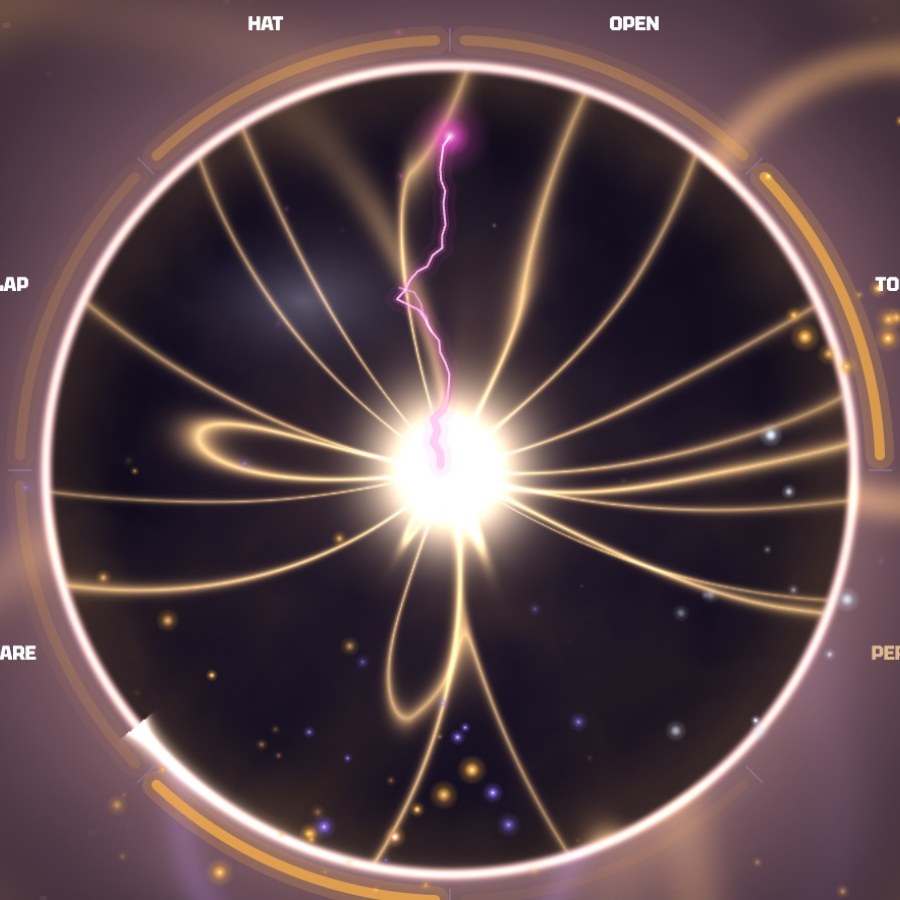
A lightning storm sealed in glass. Touch it and it sings.
Touch the glass to play. Where you touch around it picks the note, farther out adds energy, and every spot is in key. Loop what you play, stack sounds and beats, and record a finished track.
Best for: Anyone, from first touch to finished track. Best with headphones.
A pool of water you can play.
Tap or drag across the water and every note fits the scale, so it always sounds right. Hit “Surprise me” for a beat, loop your layers, and save what you make.
Best for: Total beginners. The easiest way in.
Touch the light.
Tap the lights to play and drag to bend a note. Switch to Chords, Strings or Flow, start from a mood, and record a phrase that loops while you play over it.
Best for: Explorers and experimenters who want to try a new way to play.
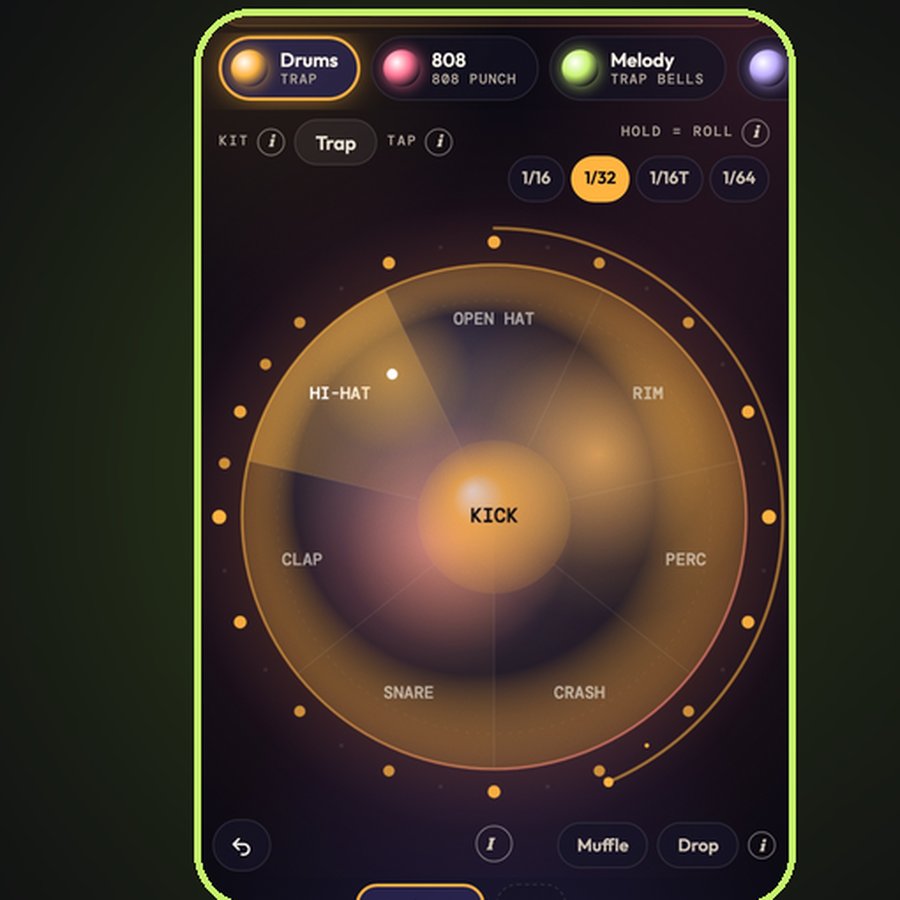
Make a beat on one glowing orb. Always in key.
Tap the orb for drums, 808s and melodies, hold a hi-hat to roll it, and drag to bend. Loop your layers, record your verse, and bounce a finished song.
Best for: Rap and hip-hop beats, from first tap to finished song. Best with headphones.

A water surface you play with your fingers. Always in key.
Tap the water for notes, left low and right high. Drag to bend, hold a low note and play a melody over it. Add drums, loop four layers and record your take.
Best for: Calm melodic jams on your phone. Best with headphones.
02:24Bridge
How it worksChoose by your level or your goal. It opens right in your browser, free, with nothing to install.
Every note is in key, so you sound good from the first tap. Quick tips show up as you go, so you learn while you play.
Layer loops into a beat or a song, then record your take to share.
02:58Hook
Get updatesA new Likwid Beats instrument is always in the lab. Join the list to hear it before anyone else.
You’re on the list. We’ll let you know when the next instrument drops.
03:16Outro
AboutLikwid Beats makes strange, beautiful instruments that run right in your browser: synths, jam toys, recorders and sound experiments. They’re free, they teach you while you play, and they’re built so first-timers and seasoned producers can both find something to love. likwidbeats.com is the playground. Come mess around.